Path Tracer
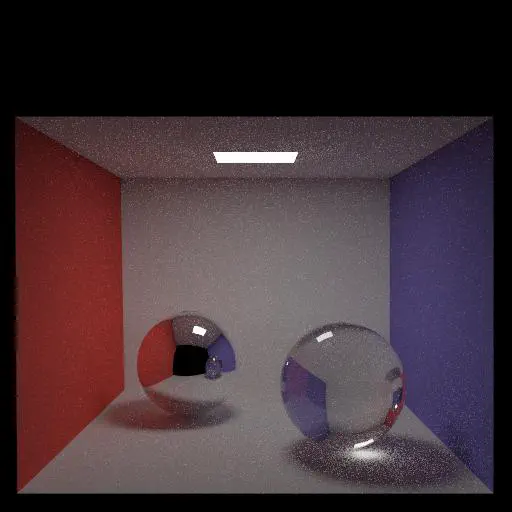
Output Comparison
Run the program with the specified .ini config file to compare your output against the reference images. The program should automatically save to the correct path for the images to appear in the table below.
If you are not using the Qt framework, you may also produce your outputs otherwise so long as you place them in the correct directories as specified in the table. In this case, please also describe how your code can be run to reproduce your outputs
Qt Creator users: If your program can’t find certain files or you aren’t seeing your output images appear, make sure to:
- Set your working directory to the project directory
- Set the command-line argument in Qt Creator to
template_inis/final/<ini_file_name>.ini
Note that your outputs do not need to exactly match the reference outputs. There are several factors that may result in minor differences, such as your choice of tone mapping and randomness.
Please do not attempt to duplicate the given reference images; we have tools to detect this.
.ini File To Produce Output | Expected Output | Your Output |
|---|---|---|
| cornell_box_full_lighting.ini | 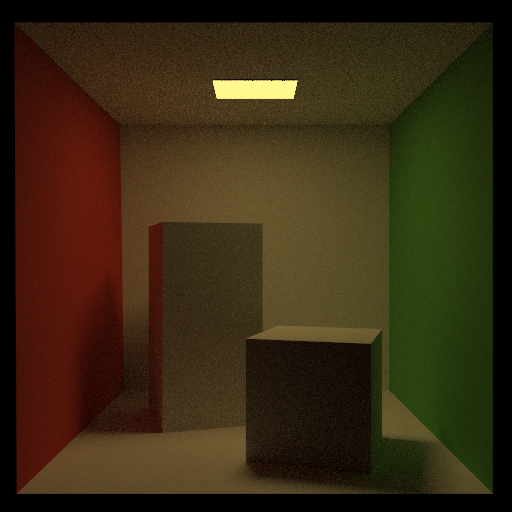 | 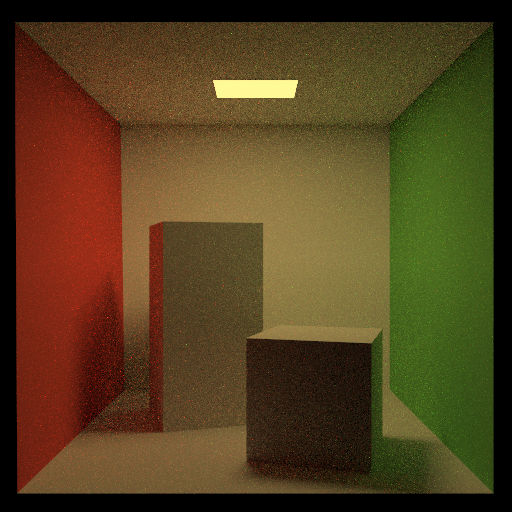 |
| cornell_box_direct_lighting_only.ini | 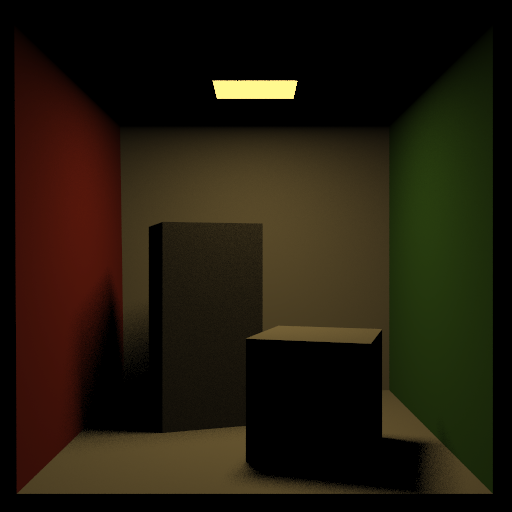 | 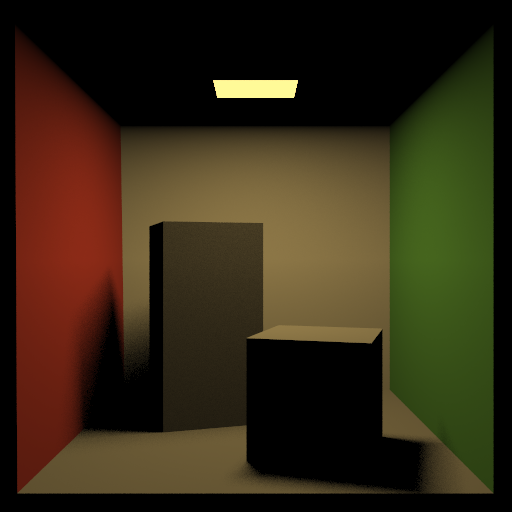 |
| cornell_box_full_lighting_low_probability.ini | 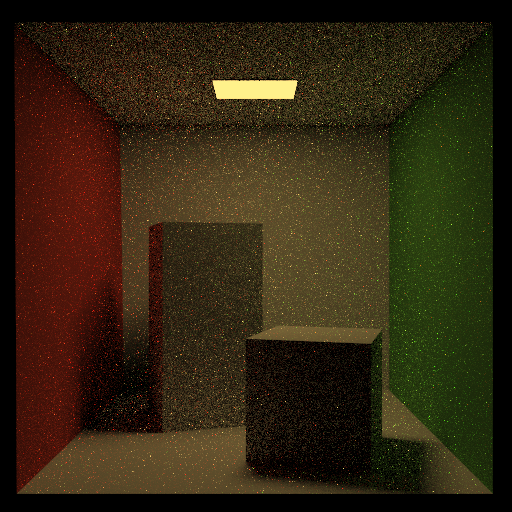 | 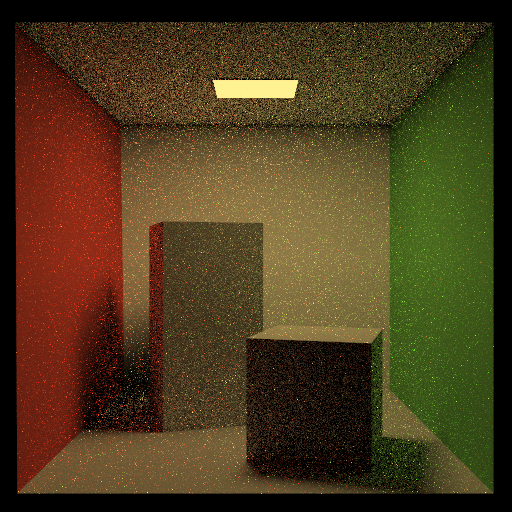 |
| mirror.ini | 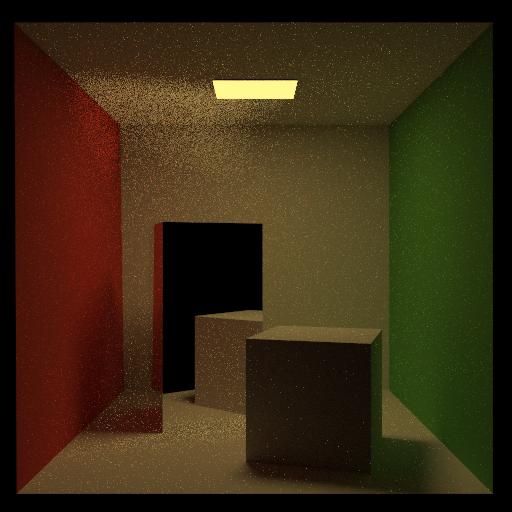 | 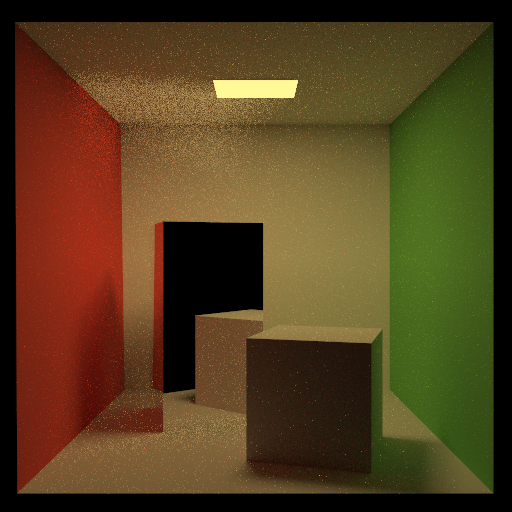 |
| glossy.ini | 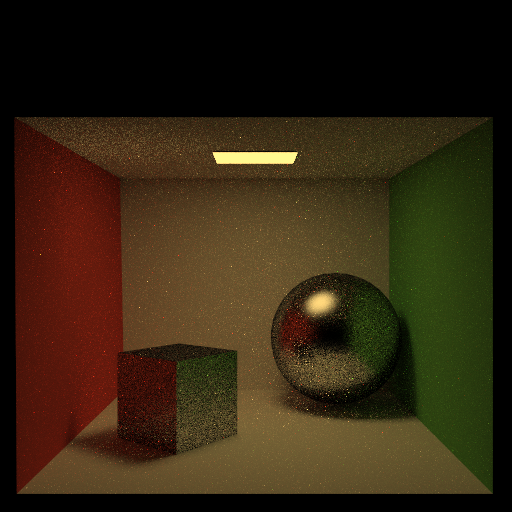 | 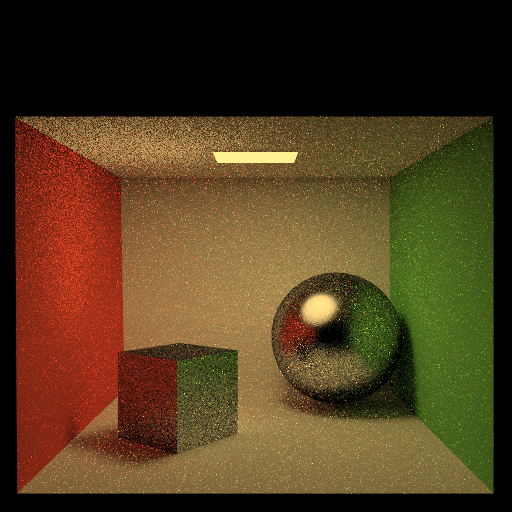 |
| refraction.ini | 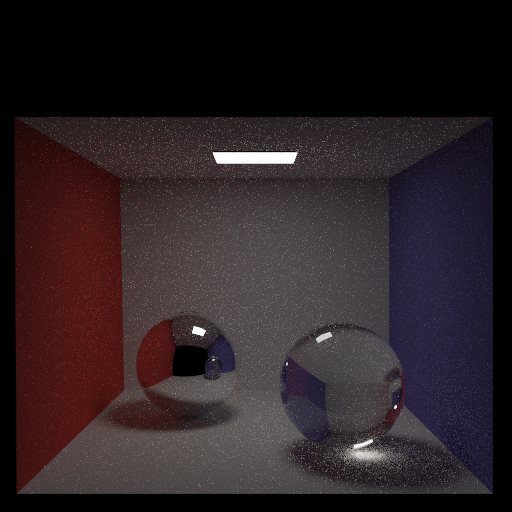 | 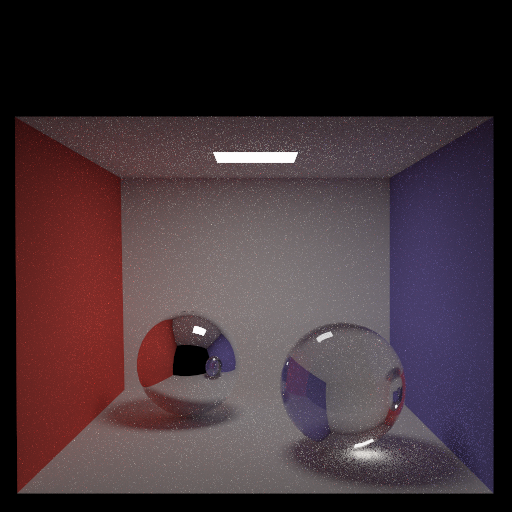 |
Note: The reference images above were produced using the Extended Reinhard tone mapping function with minor gamma correction. You may choose to use another mapping function or omit gamma correction.
Design Choices
Four basic types of BRDFS
In BRDF.cpp, calculate different BRDFs based on the equation from the slides. Determine the type of BRDF based on the mat.illum and mat.specular.
In radiance.cpp, calculate radiance and trace next ray.
Indirect illumination
See milestone,md.
Russian roulette path termination
See pathetracer.cpp. Use the following formula to modify $\text{pdf}_{rr}$ based on the $brdf$.
$\widetilde{\text{pdf}{rr}} = \text{clamp}(\frac{40}{21}brdf + \frac{1}{21}, 0, 1) \cdot \text{pdf}{rr}$
Event splitting & Direct lighting
See light.cpp and pathtracer.cpp. Sample light for all the emissive triangles and estimate their contribution to the rendering based on uniform_sample_triangle. Perform soft shadow by compare the intersection point with the sample point in light.cpp.
Tone mapping
See tone.cpp. Refer to https://64.github.io/tonemapping/ for different tone mappings.
Using Extended Reinhard (Luminance Tone Map) with gamma correction. The difference between two toneMap functions is output. (one output QRgb, another output Vector3f)
Attenuate refracted paths
See radiance.cpp.
Determine whether the light is inside the material or not in refract function. Then calculate a attenuate_coef in calculateRadiance function.
Depth of field
See depth_of_field in pathtracer.cpp.
First uniformly sample a point around the origin point of the ray based on the aperature of the camera and then adjust the direction of the ray based on the following equation given focalDistance.
$\widetilde{p} = p + \text{offset}$
$\widetilde{d} = p + d \cdot f - p$
BRDF importance sampling
See importance_sampling in sampling.cpp. Refer to https://ameye.dev/notes/sampling-the-hemisphere/ for sampling methods and formula.
Ideal diffuse
Use cos weighted sampling to sample points around the normal. Although the BRDF of the ideal diffuse is a constant, L is still proportional to cos(theta).
Glossy specular
Sample rays close to the reflection direction. The halfway vector are first sampled using power cos weighted sampling to take the consideration of shininess of material. Then the final ray direction are calculated based on the halfway vector.
Ideal specular (mirror)
Output the reflection direction and $\text{pdf} = 1.0$.
Dielectric refraction (refraction + Fresnel reflection)
First use Schlick’s Approximation to calculate the $R(\theta)$ and determine whether to trace reflection or refraction. Output the reflection or refraction direction and $\text{pdf} = 1.0$.
Fixed Function Denoising
Before denoising, tone mapping are applied to each channel to map the intensity value to 0 ~ 1. In denoise.cpp, the mapped intensity values for each channel are decomposed using wavelet decomposition with HAAR filter.
The denoising on wavelet coefficient are performed based on the following equation known as wavelet shrinkage. [Don95]
$y = \text{sign}(x) \cdot \text{max}(0, |x| - \sigma \sqrt{2\log{N}})$
Then reconstruct the figure using wavelet reconstruction.
The wavelet decomposition and reconstruction code is based on open source project simple-wavelet.
Extra Features
Attenuate refracted paths
Set attenuate = true inside the .ini file.
Example: template_inis/extra/attenuate_refraction.ini
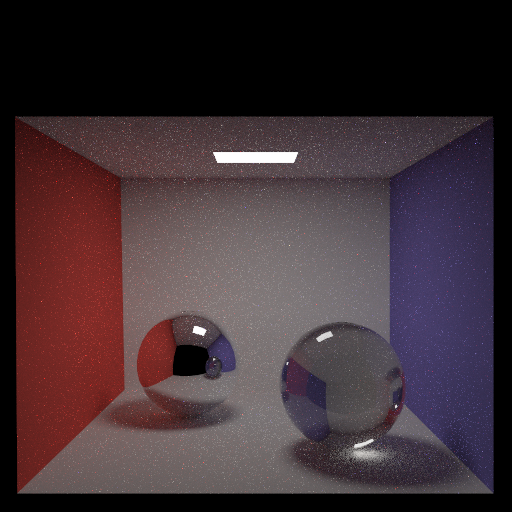
We can observe that the refracted light intensity on the right picture is weaker because of the attenuation.
Depth of field
Set depthofField = true inside the .ini file. On [DoF] section, specify the value of aperture and focalDistance.
Example: template_inis/extra/dof.ini
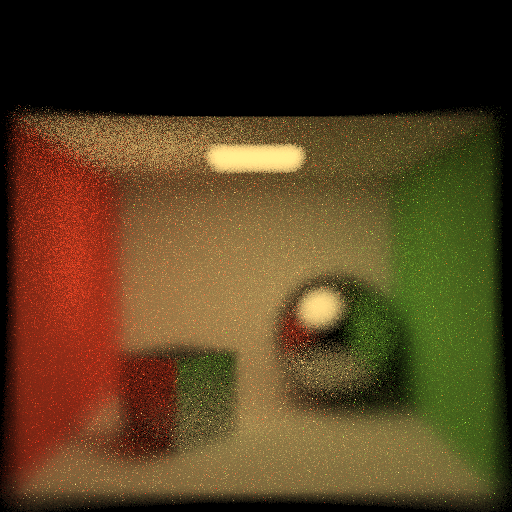
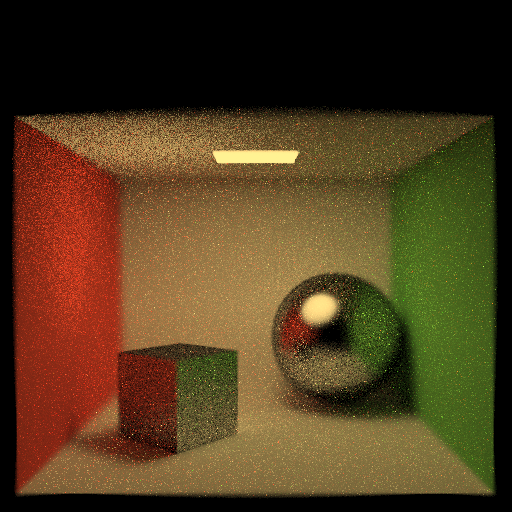
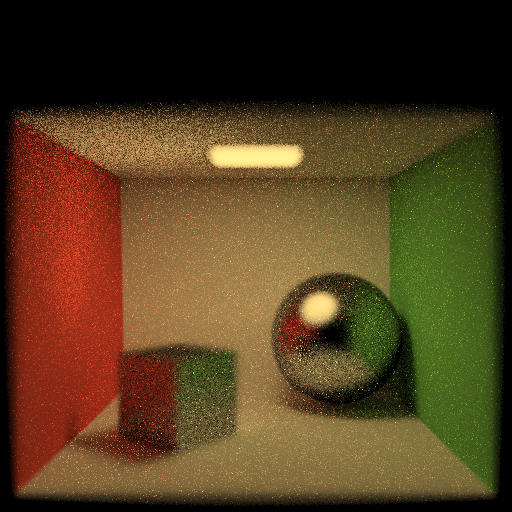
Here are examples of glossy specular scene without dof, with focalDistance = 3.0, focalDistance = 4.0 and focalDistance = 5.0. (all the three figures with dof has aperture = 0.5)
BRDF importance sampling
Set importanceSampling = true inside the .ini file.
Ideal diffuse
Example:
template_inis/extra/IS_diffuse.ini 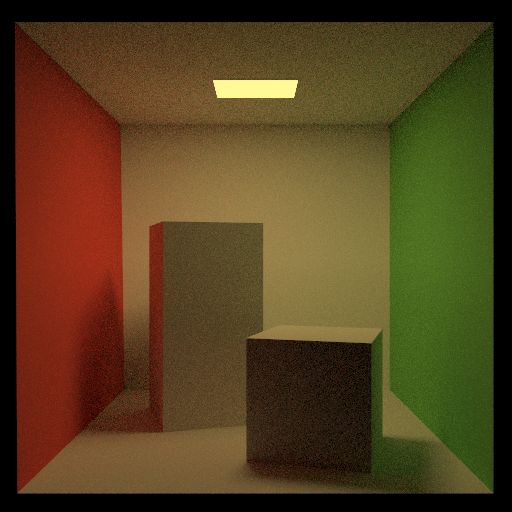
We can observe that the right figure with importance sampling has finer details and less noise.
Glossy specular
Example:
template_inis/extra/IS_glossy.ini 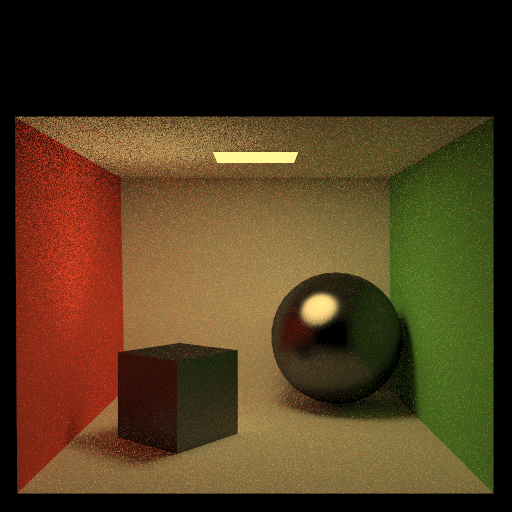
We can observe that the right figure with importance sampling has smoother glossy surface and less noise .
Ideal specular (mirror)
Example:
template_inis/extra/IS_mirror.ini
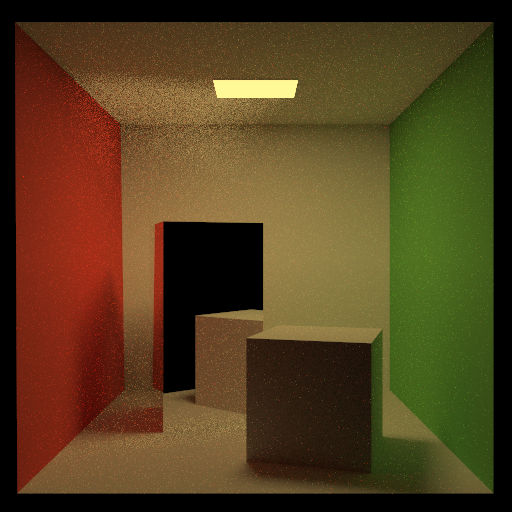
We can observe that the right figure with importance sampling has less noise. But for the mirror surface, we did not observe any significant difference, perhaps because the number of samples was large and the difference was not obvious.
Dielectric refraction (refraction + Fresnel reflection)
Example:
template_inis/extra/IS_refraction.ini 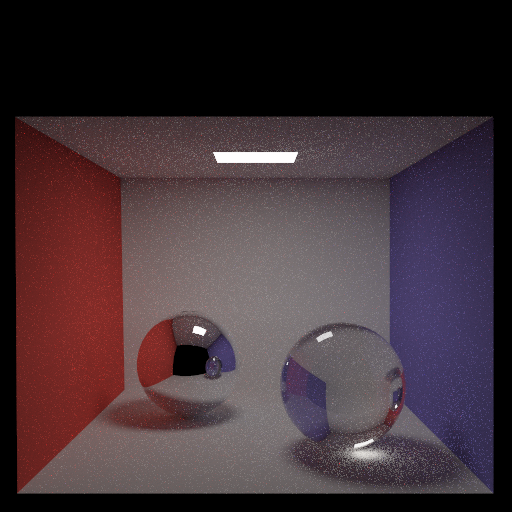
We can observe that the right figure with importance sampling has less noise. For the refraction, we can observe that the light refracting through the sphere creates a denser and richer projection on the ground for the right figure.
Fixed Function Denoising
Set denoise = true inside the .ini file.
Example: template_inis/extra/denoise_on.ini and template_inis/extra/denoise_off.ini
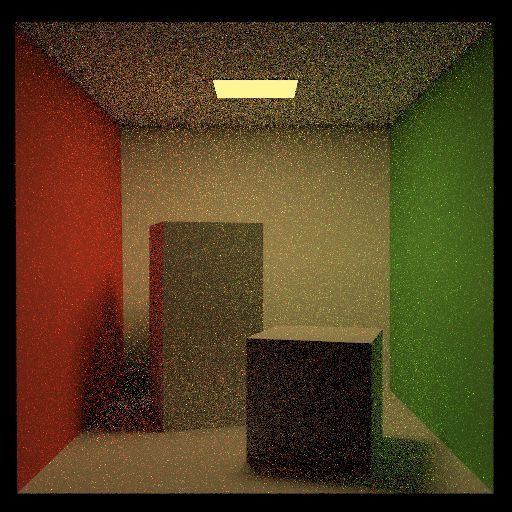
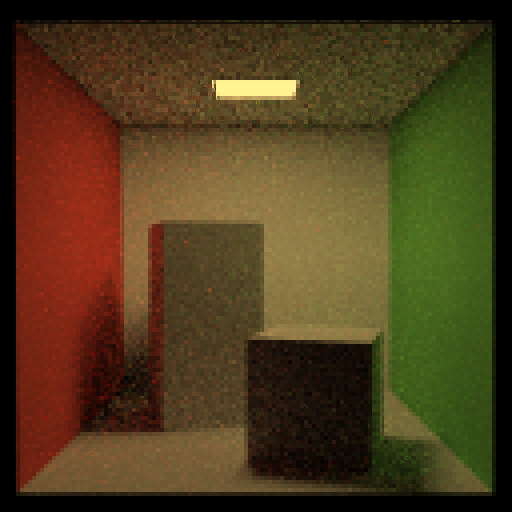
We can observe that right figure has reduced noise.
Collaboration/References
DONOHO D.: De-noising by soft-thresholding. IEEE
Transactions on Information Theory 41, 3 (may 1995), 613–627.
Course Slides
Known Bugs
N/A
Chengfan Li
He once lost a diamond cuff-link in the wide blue sea.